Team and permissions
Invite team members and assign roles so each team member only sees the creators they manage.
Available on:Agency · Scale
Agency and Scale tiers include a team. Each team member is a user with one of four roles: ADMIN, MANAGER, CREATOR, VIEWER. The role determines what they see and what they can edit. The CREATOR role in particular is purpose-built for agencies — someone assigned to one creator never sees the others.
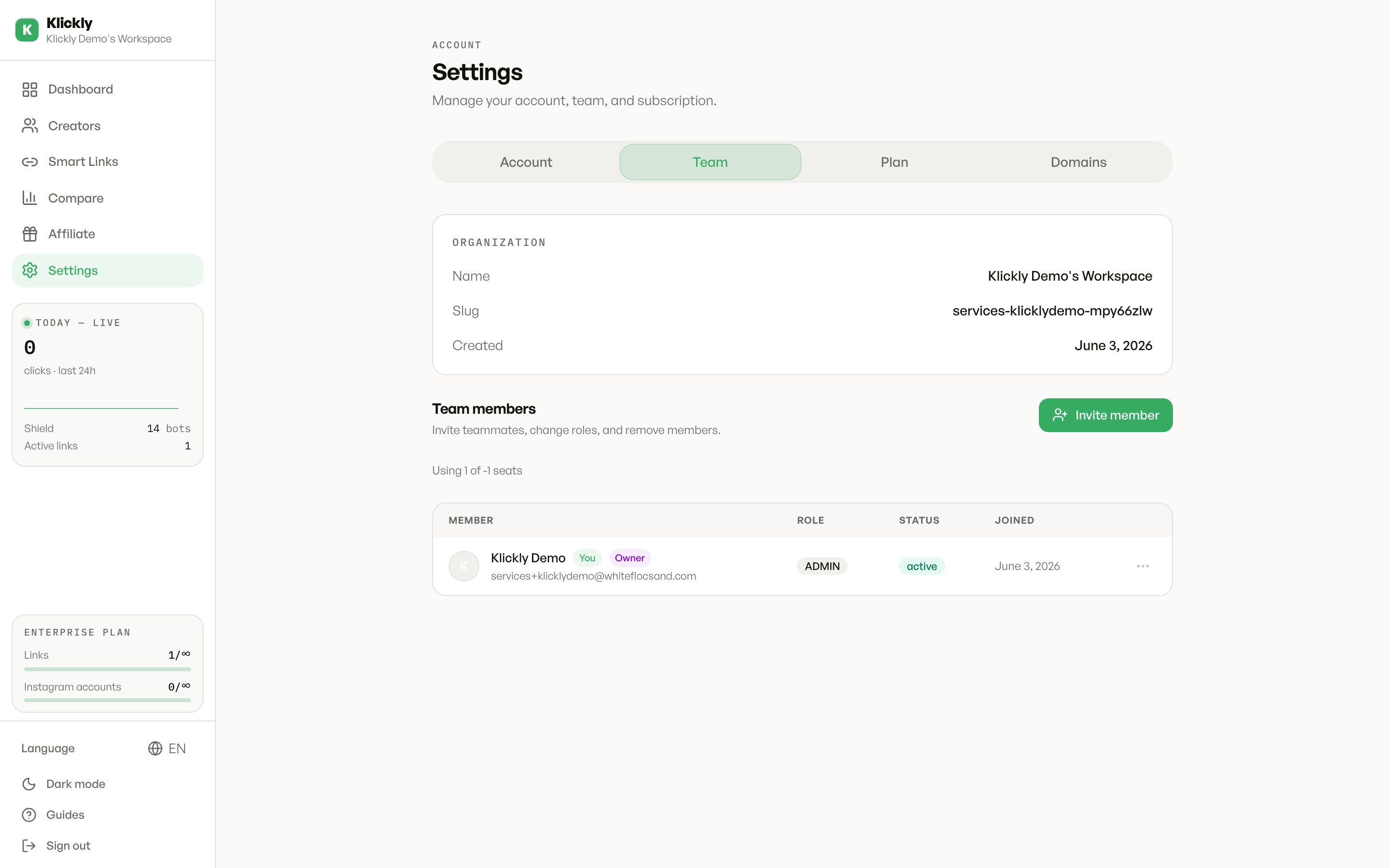
- 1
Invite a team member
Sidebar → Settings → Team tab → "Invite". Paste their email, pick the role. They'll receive an email with a one-time link that expires in 7 days. When they click it, they create their account and land on the dashboard with the role you assigned.
- 2
Role: ADMIN
Full access. Sees every creator, every smart link, every analytics. Can edit anything, manage billing, invite other team members, assign creators to the people who run them. Usually you and one trusted manager.
- 3
Role: MANAGER
Same read/write access as ADMIN over creators and smart links, but CANNOT change billing, cancel the plan, or remove the owner. Good for a head-of-operations who needs to manage the day-to-day without payment-level risk.
- 4
Role: CREATOR
Sees ONLY the creators an ADMIN has explicitly assigned to them. Can edit those creators' smart links, view their analytics, manage their IG accounts. Cannot see other creators, cannot see billing, cannot invite team members. Designed for someone who works on one or two creators and shouldn't see the rest of the agency.
- 5
Role: VIEWER
Read-only across the whole org. Sees everything an ADMIN sees but can't edit anything. Useful for accountants, lawyers or audit consultants who need visibility but no write power.
- 6
Assign creators to a CREATOR
Sidebar → Creators → click any creator → top of the page there's an "Assigned to" dropdown. Pick the team member who handles her. The CREATOR user will only see that creator (and any others you assign to them) when they log in.
Pro plan has 1 team member (just you)
On Pro, the team feature is technically there but the cap is 1 — you. If you want to add a team member, you need Agency (5 members) or Scale (unlimited). Individual and Starter don't have team at all.
Why creator-level permissions matter
Agencies usually run a strict no-data-crossing rule: one manager should never see another manager's creators, stats or earnings. Klickly's CREATOR role enforces this at the database level — out-of-scope queries return 404, not 403, so a curious team member doesn't even learn that other creators exist in the same org.