Adult content warning (age gate)
Turn on an 18+ age-verification screen that visitors must accept before your landing reveals its content.
Available on:Pro · Agency · Scale
The adult content warning adds an age gate to your landing: a visitor sees a verification screen and has to confirm they're an adult before the page reveals your links. It's the right call when your content is NSFW and you want a clear 18+ checkpoint up front, both to set expectations and to add a layer of self-certification.
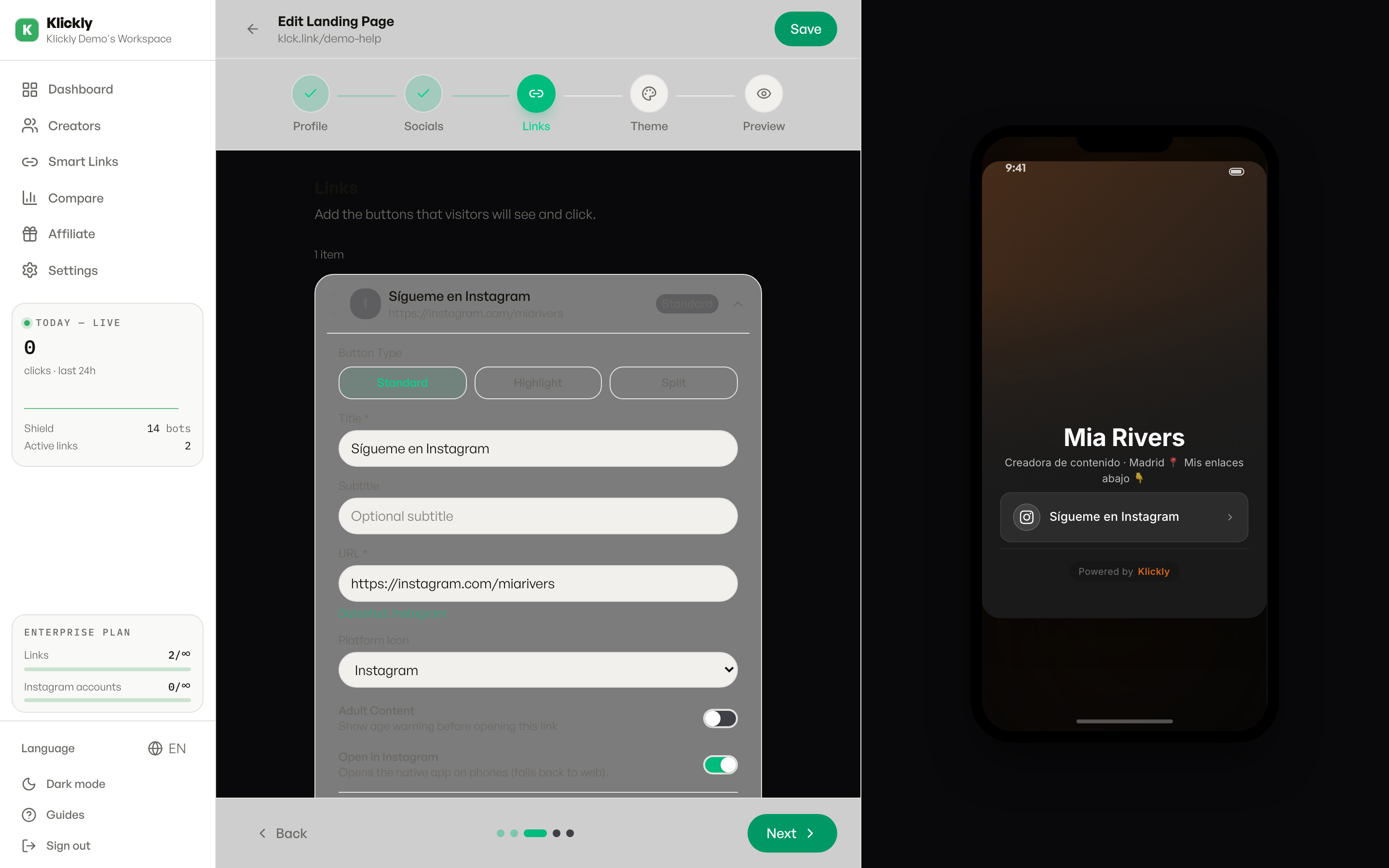
- 1
Open your landing in the editor
Sidebar → Links → pick the smart link you want → Edit. This opens the landing-page editor.
- 2
Expand the Advanced section
Scroll to the bottom of the editor and click Advanced to expand it. You'll find Tracking Pixels, Shield Protection, Adult Content Warning, and the redirect rules in there.
- 3
Turn on Adult Content Warning
Flip the Adult Content Warning toggle (the description reads "Show age verification page before displaying"). When it's green it's active.
- 4
Save the landing
Save your changes in the editor. The age gate is now live the next time someone opens your public link.
- 5
Preview it as a visitor
Open your public link (klickly.app/your-slug or your custom domain) in a private/incognito window to see the warning screen exactly as your audience will.
What the visitor sees
When the visitor taps your main button, an overlay appears with your avatar, an "18+ Content Warning" title, a short line ("This link may contain graphic or adult content.") and a Continue button. They can close it or tap Continue to proceed to the destination. The text auto-translates to the visitor's language (English, Spanish, Portuguese, French, Italian, German, Dutch). You can't edit the wording from the editor.
Tip
This is a page-level gate for the whole landing. If you only want to flag one specific link as adult instead of gating the entire page, use the per-card 18+ option on that individual card instead. You can also pair this with Shield in the same Advanced section so bots see a clean preview while real visitors get the age gate.
What this does NOT do
It's a self-certification screen, not real age verification: there's no ID check or document upload, anyone can tap Continue. It also doesn't hide your content from search engines or social crawlers on its own (that's Shield's job), and it isn't a substitute for the age-restriction rules of any specific platform or country. Treat it as a clear adult-content notice, not legal compliance.
Available on Pro, Agency and Scale. On Free and Individual the Adult Content Warning toggle isn't available, so you'll need to upgrade to use it.