Bulk import smart links from CSV
Create many smart links at once by uploading a CSV file, instead of adding them one by one.
Available on:Pro · Agency · Scale
Bulk import lets you create a batch of smart links in a single upload. You hand Klickly a CSV (a simple spreadsheet file) with one row per link, and it creates all of them at once using the exact same rules as the normal one-at-a-time form: your plan's link limit, slug uniqueness, and automatic Shield protection all still apply. It's the fastest way to migrate a list of links you already have.
- 1
Open Smart Links
In the sidebar, go to Smart Links to see your list of links.
- 2
Open the New Link menu and choose Import from CSV
Click the New Link button (top right of the list). A small menu drops down with New Landing Page, New Direct Link, and Import from CSV. Pick Import from CSV. If it shows as Import from CSV (Pro+) and is greyed out, your plan doesn't include this feature yet.
- 3
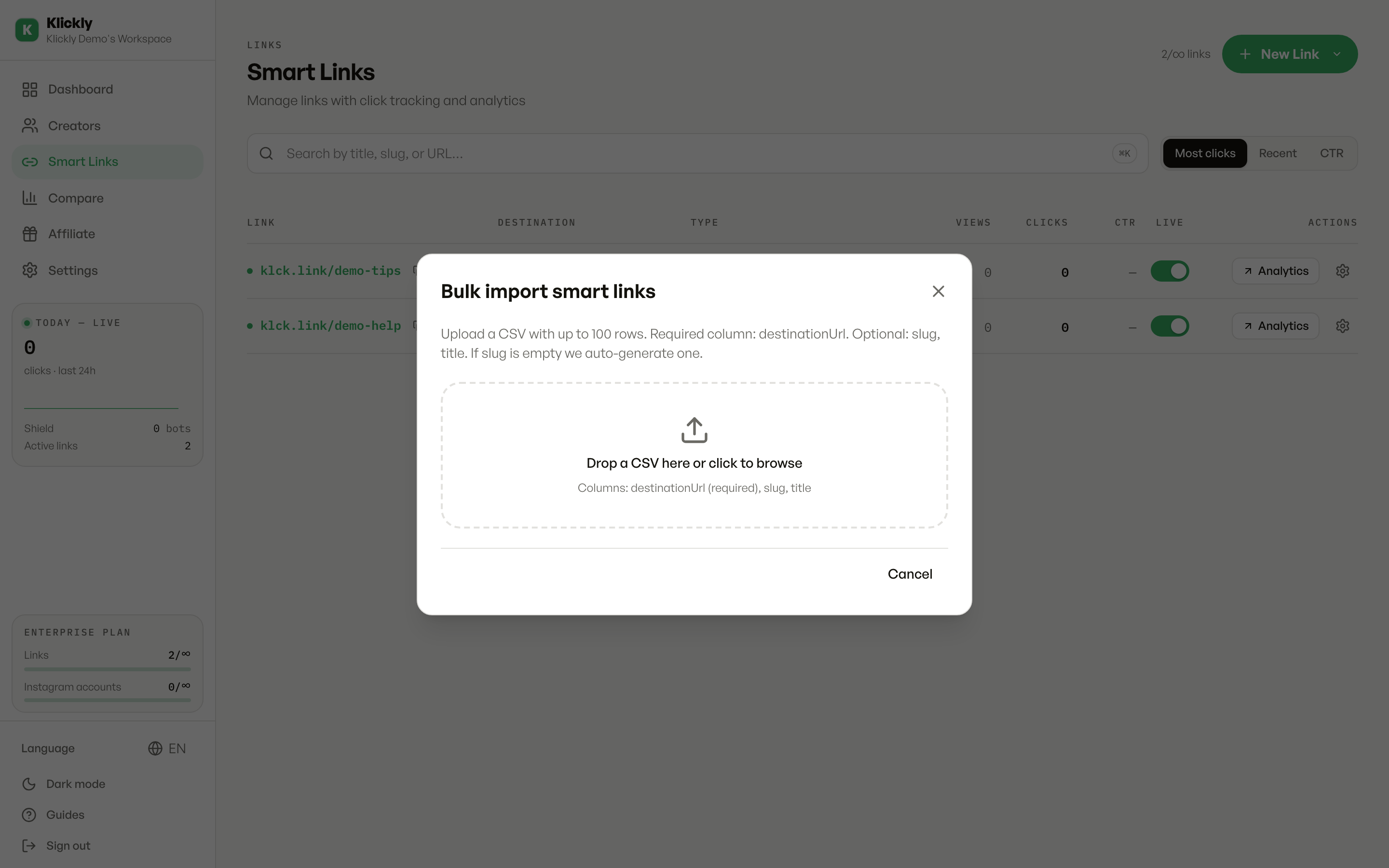
Upload your CSV
In the Bulk import smart links window, drag a .csv file onto the drop zone or click it to browse. The file must be a .csv, under 1 MB, and have at most 100 rows. The only required column is the destination URL; slug and title are optional.
- 4
Check the preview
Klickly shows a preview of the first 5 rows so you can confirm it read your columns correctly. The destinationUrl column must have a value (rows missing it are flagged); an empty slug just means Klickly will auto-generate one for you.
- 5
Create the links
Click Create N links. When it finishes you'll see a summary: how many were created, any rows that failed (with the reason next to each row number), and how many were skipped if you ran out of plan capacity. Close the window and your new links appear in the list.
Tip
Your column headers don't have to be exact. For the destination, Klickly also accepts url, destination, target, or targetUrl. For the title it accepts name or label. Capitalisation, spaces, dashes and underscores in the header are ignored, so 'Destination URL' and 'destination_url' both work.
What happens if you hit your plan limit
A smart link counts against your plan's link cap whether it's active or not. If a batch would take you over your limit, Klickly creates as many as fit, then stops and marks the rest as skipped, showing you exactly how many didn't make it. Nothing is silently lost. To import the rest, free up some links or upgrade your plan and run the import again with the remaining rows.
Good to know
Each link is validated individually, so one bad row (a malformed URL, a slug that's already taken, an oversized title) only fails that row. The rest still get created. Shield is applied automatically to the new links, exactly as if you'd created them through the normal form.