App linking: open native apps from your landing
When a visitor taps an Instagram or TikTok card on mobile, the native app should open — not the in-app browser. Here's how Klickly handles it.
Most of your visitors arrive at your landing from inside another app's WebView (Instagram, Threads, Facebook, TikTok). When they tap a link to, say, your YouTube channel, normally that opens inside the same crippled WebView — and then deep-linking back into the YouTube app rarely works. Klickly's App Linking fires the native app scheme directly so the tap jumps straight to the destination app, with a 1.5-second fallback to the web URL if the app isn't installed.
- 1
Use a supported platform URL in a card
App Linking activates automatically when the card's URL points to one of eight platforms: Instagram, X (Twitter), TikTok, YouTube, WhatsApp, Snapchat, Spotify, Threads. There's no extra config — Klickly detects the destination at render time.
- 2
Verify the auto-detected status in the editor
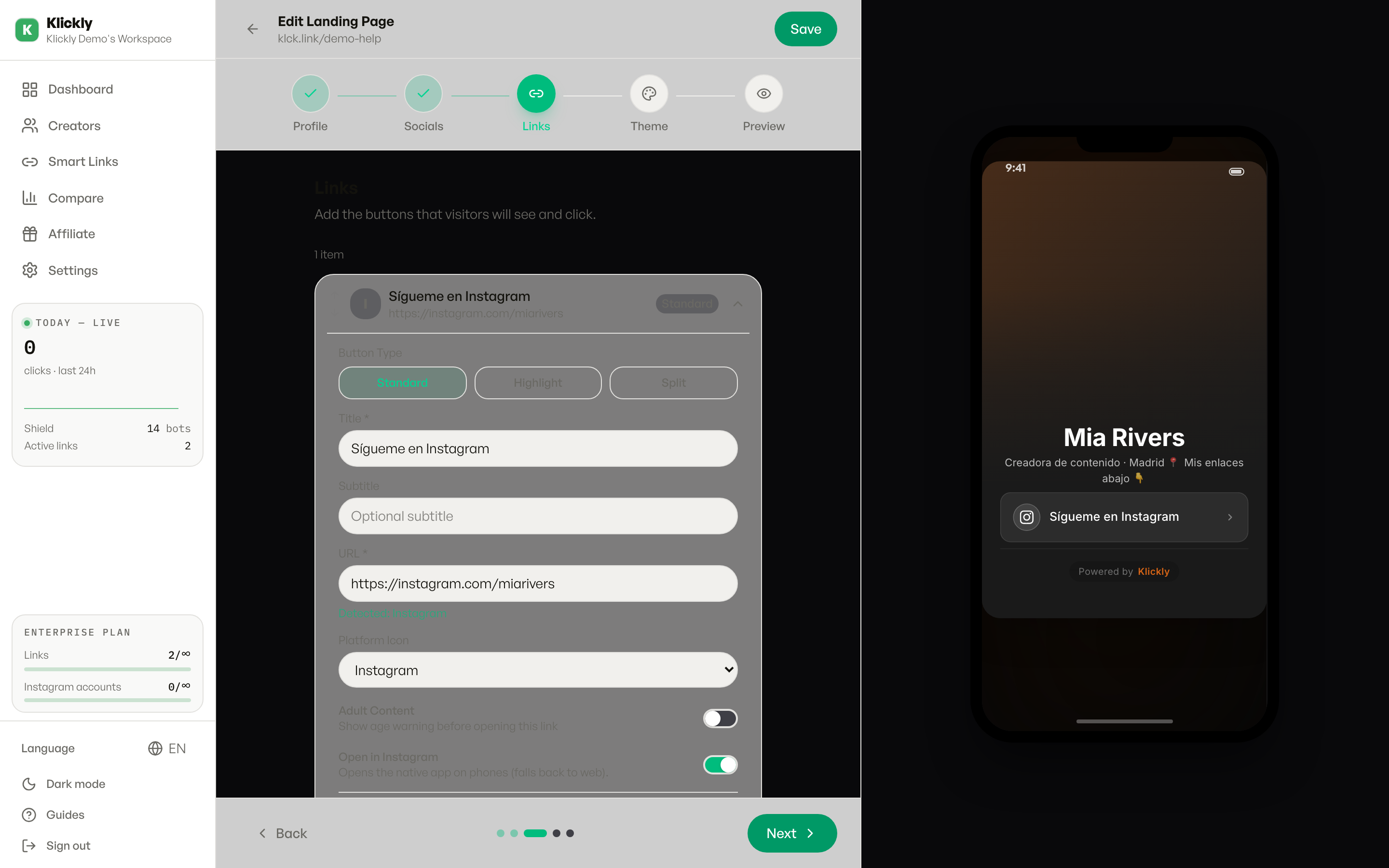
In the Links tab, when you fill a card URL with one of those platforms, a green "Open in <App>" toggle appears under the Age confirmation switch. The toggle is ON by default. Description reads "Opens the native app on phones (falls back to web)."
- 3
Override per card if needed
If you want a specific card to always open in the web browser (e.g. because the native app strips a UTM parameter you're tracking), flip the toggle OFF. The description changes to "Always opens in the web browser." Save and the override applies to that card only.
- 4
Test from a phone with and without the app installed
Open your landing on a phone where you have the Instagram app installed — tap a card with an instagram.com URL. The IG app should open at the right profile. Then test on a phone where IG is NOT installed (or with the app force-closed) — the web URL should load instead, no error and no double-navigation.
TikTok and Threads on iOS, and Telegram everywhere
On iOS, TikTok and Threads don't expose stable URL schemes. Klickly skips the explicit native call and lets Apple's universal-links system handle it — when you tap a tiktok.com or threads.net URL, iOS itself decides to open the app if it's installed. Behaviour is identical from the visitor's point of view, just achieved differently under the hood. Telegram works this way on every phone: a t.me link already opens the Telegram app on its own, so Telegram cards need no App Linking and show no toggle.
Why it matters for creators
Most creator traffic comes from inside the Instagram app. When a visitor there taps a link to your WhatsApp or your YouTube channel, App Linking moves them out of the Meta WebView and into the real app. The conversion path goes from "IG WebView → another WebView" (slow, often broken) to "IG WebView → native app" (instant).