Connect a custom domain
Point your own domain at Klickly and publish ONE smart link as the bare domain — yourbrand.com, no slug. Two DNS records and a Verify click.
Available on:Individual · Pro · Agency · Scale · Enterprise
On Individual+ you can point your own root domain (e.g. yourbrand.com) at Klickly. The domain then serves ONE smart link of your choice at its bare root: the link you put in a bio is just yourbrand.com — no slug, nothing after the domain. Setup is two DNS records at your registrar plus one Verify click; the SSL certificate is issued automatically after that. Use the root domain only — no www., no subdomain.
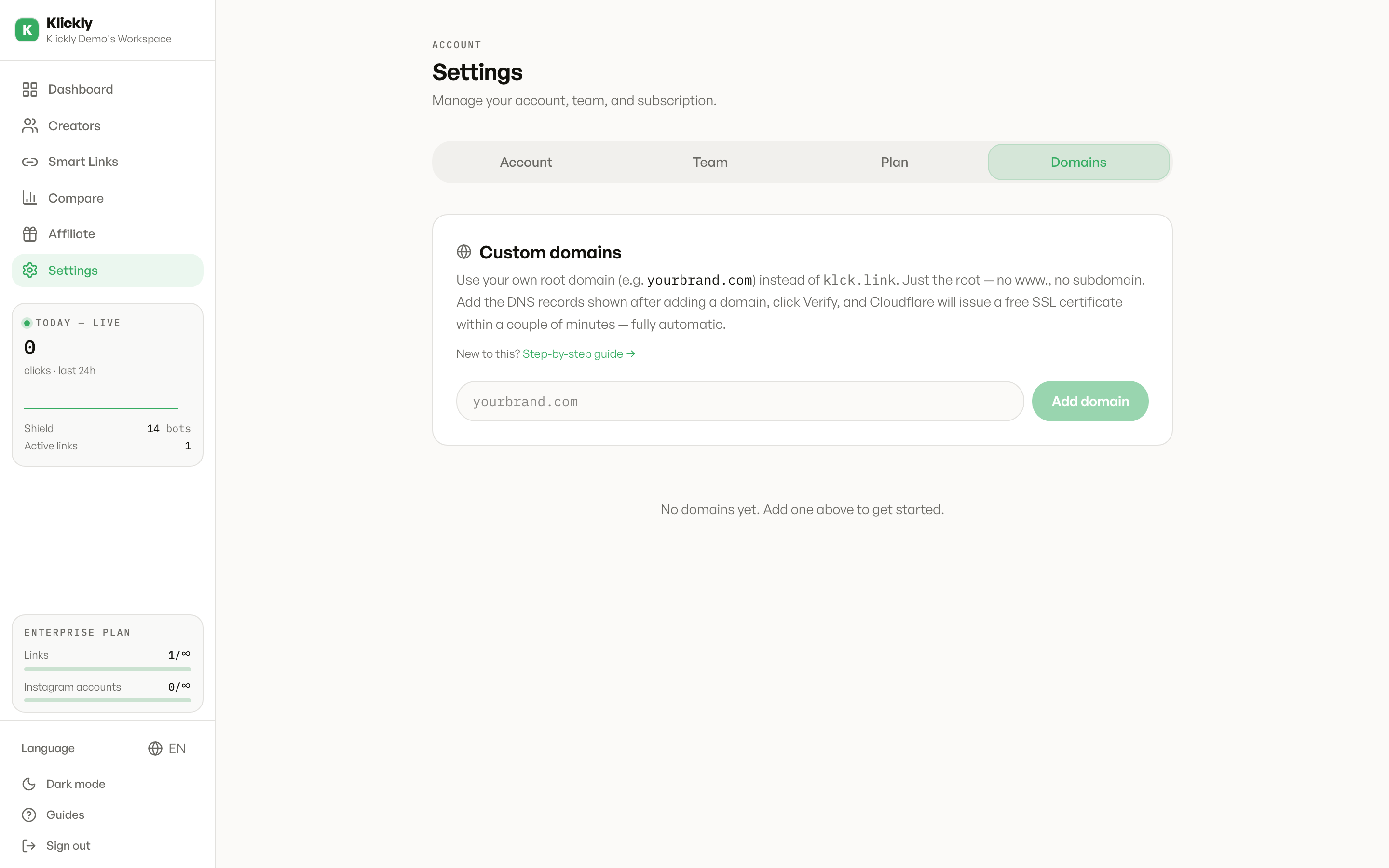
- 1
Add the domain in Settings
Sidebar → Settings → Domains tab → "Add domain". Paste yourbrand.com (the root domain only — no http://, no slash, no www.). Klickly creates the record and shows you the two DNS records to add at your registrar.
- 2
Add the two DNS records at your registrar
Wherever you bought the domain (Hostinger, GoDaddy, Namecheap, IONOS, Cloudflare…), find its DNS panel — often called "DNS Zone", "Manage DNS" or "DNS Records" — and add two records. Each has a Type, a Name (or Host), and a Value (or Target/Content). Record 1 → Type: A · Name: @ (that's the root of your domain) · Value: the IP address Klickly shows. Record 2 → Type: TXT · Name: _klickly-verify · Value: the token Klickly shows (it starts with klickly-verify=). Delete any pre-existing A record on @ first (registrars park one there by default) — two A records on the root will fight each other. The records are identical at every provider — only the button names differ.
- 3
Verify
Back in Klickly, click "Verify". Once the TXT check passes, Klickly starts watching your A record and issues the SSL certificate on its own. The status badge walks you through it: "Waiting for DNS" means the A record isn't visible yet; "Issuing certificate" means DNS is right and the cert is on its way; "SSL active" means the domain is live. You can close the tab in between — it all happens automatically.
- 4
Pick which smart link the domain serves
A domain serves exactly one smart link. Open that link in the editor and, in the URL field, pick your domain from the dropdown instead of klck.link. From then on the link's public URL is the bare domain — yourbrand.com — and that's what you copy and share. If the org has exactly one active link when you verify, Klickly assigns it automatically.
- 5
Test from your phone
Open https://yourbrand.com from your phone. It should load your smart link's page. Heads up: when it opens it redirects through klck.link, so that's what the address bar ends up showing — the branding is in the link you hand out (the bio link IS your domain), not the final URL bar. Test both Safari and Chrome.
The #1 mix-up: the record's Name
Klickly shows each record's FULL name (like _klickly-verify.yourbrand.com), but most DNS panels want the name RELATIVE to your domain — they add the domain for you. So in the Name/Host field type @ for the A record (that means the root) and _klickly-verify for the TXT, not the full thing. If your panel genuinely wants the full name, paste exactly what Klickly shows.
Root domain only
Klickly connects your root domain (yourbrand.com), not a subdomain like links.yourbrand.com — the Domains tab rejects subdomains.
Pointing the root at Klickly replaces any website there
The root A record sends ALL traffic for yourbrand.com to Klickly, and you delete the old A record to make it work — so if that domain currently hosts a real website, it goes down. If you want to keep the website, use a separate domain just for your links.
If it stays on "Waiting for DNS"
Almost always one of three things: the A record isn't saved where you think (check the Name is @, not the full domain or www); an old A record is still on the root next to the new one — registrars park one there by default and it wins; or an old AAAA (IPv6) record from the previous hosting is still on @ — delete it too, it hijacks both visitors and the certificate check. Fix the records, wait a few minutes, and the badge moves to "Issuing certificate" on its own.