Language Redirects: send visitors to the right smart link by language
Automatically route visitors whose device is set to a given language to a different smart link of yours, set up in the editor under Advanced.
Available on:Agency · Scale
Language Redirects let you send visitors whose device language matches a rule to a different smart link you own. The classic use: visitors browsing in English land on your English page, everyone else stays on the default. It's checked on the visitor's device before your landing shows, so it works on any IP and doesn't need geo-location.
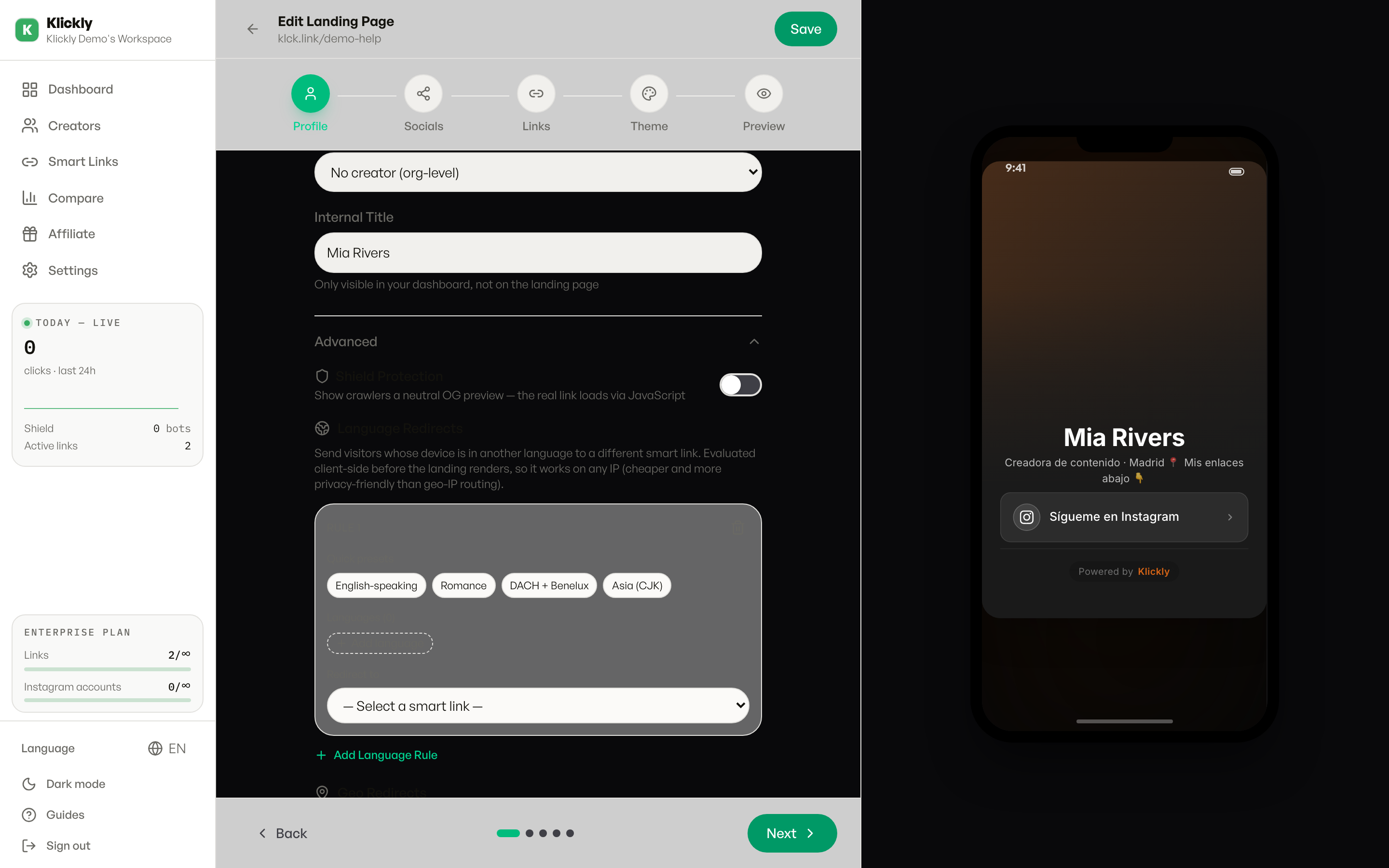
Language Redirects are available on the Agency and Scale plans. On Free, Individual and Pro the Advanced section won't let you add language rules.
- 1
Create the destination smart link first
You redirect TO another of your smart links, so that link has to exist already. Go to Sidebar -> Links -> New and build the page you want one language to land on (for example your English landing). If you have no other links yet, the editor shows an amber hint pointing you to Links -> New.
- 2
Open the smart link you want to add the rule on
Go to Sidebar -> Links, open the link visitors hit first, and click into its editor.
- 3
Expand Advanced and find Language Redirects
Scroll down to the Advanced section and click it to expand. The Language Redirects block (globe icon) sits there, below Shield Protection.
- 4
Add a language rule
Click 'Add Language Rule'. A rule card appears. Add the languages it should match either with a Quick preset (English-speaking, Romance, DACH + Benelux, Asia (CJK)) or with 'Add language' to pick them one by one. Each language shows as a removable chip.
- 5
Pick the destination and save
In the 'Redirect to' dropdown, choose which smart link those visitors should land on (it lists your links as /slug). Save the editor. From then on, visitors whose device language matches the rule are sent to that link before the page renders.
Tip
Use a preset to set up a whole language family in one click, then trim it with the chip X buttons. You can stack several rules (up to 20) on one link, for example English -> English page and Romance languages -> Spanish page, each pointing to a different smart link.
Why this works (the short version)
Klickly reads the visitor's browser/device language (navigator.language) right on their device, before the landing loads, and matches it against your rules. Because it never asks an external geo-IP service, it's cheaper, faster and more private, and the page crawlers see stays identical.
Good to know about the limits
This matches the language the visitor set on their phone or browser, not the country they're in, so a Spanish person with their phone in English will match an English rule. It only redirects to your own smart links (not arbitrary URLs) - for sending a whole country to an external decoy page, use Geo Redirects instead. And the destination link has to exist before you can pick it.